#littlefedi
We're getting there...
 @littlefedi_official@littleone.littlefedi.social
How littleFedi will be released
The release of littleFedi is scheduled for 1 October 2026.
The release will happen in phases but, from the very first day, it will be possible to use the software in its entirety. Tests and complete documentation are still under heavy revision and will not be ready by then, but we do not want to postpone the release any further.
The code has already been reviewed by several people, who gave us feedback and suggestions I cared a lot about. I want to thank everyone who did it. You know who you are.
There will probably be many bugs because, and this also came out during the reviews, although I already knew it, the quality of the code is not uniform yet.
littleFedi was created by different people, at different times, working on different components and with different levels of experience. And it shows: some parts of the code are of good quality. Others are not.
The reviews of the last few months tried to make things more consistent, but clearly this is not an easy task. In the end, what matters to me is not that the code is beautiful, but that it is sufficiently lean and secure.
So far, the reviews performed have not found security problems serious enough to block the release. Everything else can be fixed along the way.
For the moment, distribution will not happen through BSD Cafe Brew, our Forgejo instance, but directly from the littleFedi website:
You will be able to download a source tarball, or latest, which will simply point to the same tarball. Inside the binaries directory there will also be around 180 precompiled builds for the different platforms and all the possible feature combinations, for example PostgreSQL + S3.
Blog support will be included in all precompiled builds.
Of course, those binaries have not been tested on every single platform. I do not have an AIX/ppc64 machine available, let alone a Windows machine.
But they compile, and at this stage that is enough for me.
For the moment, there will not be fixed releases.
New builds and source releases will be published whenever appropriate, distributed in the same way. The goal is to eventually publish everything on BSD Cafe Brew, our Forgejo instance, but this will happen when tests, complete documentation and the rest are ready too. In practice, at this stage the team prefers to keep more direct control over releases and the management of code, patches and so on.
The license is still MIT, so there is maximum freedom to use and modify the software. This is simply what the team has chosen for now.
The official announcement account will be this one, hosted on the littleOne instance:
@littlefedi_official@littleone.littlefedi.social
https://littleone.littlefedi.social/@littlefedi_official
littleOne will remain online as a test instance. I would not really call it the "official" littleFedi instance, but almost. In the future we may create a larger instance using PostgreSQL, S3 and so on. But this is not really the purpose of littleFedi.
littleFedi is about decentralisation and control over your own data. In an ideal world, everyone would have their own Fediverse software, their own instance, different levels of federation, like Bubbles, which still need some refinement in littleFedi, and allowlists and/or blocklists.
For now, this is just a small step in that direction, adding another alternative to already excellent software such as Mastodon, snac, GoToSocial, Akkoma, Mitra and others.
1 October is close, and the release will be accompanied by a post containing some background information and details that have never been revealed before.
Those details will also help explain some of the technical choices behind the software itself, and why I am the one presenting it to the world. I have not decided yet whether I will publish it here or on my IT Notes blog, but it will definitely be announced.
We are almost there.
It has been a long journey to reach this point, and the best part has not even started yet.
Fasten your seat belts, we are ready to go again!
This is one of the reasons why #littleFedi exists...
 @stefano@bsd.cafe
I like Mastodon, I really do. But it has so, so many dependencies, and updating it on illumos or OpenBSD is getting really difficult, release after release.
Some dependencies are primarily distributed as binaries, or only build on Linux and macOS. It's not Mastodon's fault, but it depends on them.
That’s why, in my opinion, solutions like snac, GoToSocial, or littleFedi have a reason to exist: all of this is much, much easier...
#Fediverse #snac #GoToSocial #littleFedi #OwnYourData #Mastodon
This is a periodic reminder that this instance is running littleFedi on a Raspberry PI Zero W powered by NetBSD
When using littleFedi on mobile, I’m usually going with the PWA. I find it even better than MastoBlaster. And that means a lot!
Well, this is happening. 😃
For the first time, littleFedi is going to meet the public.
Berlin FediDay, Raspberry Pi Zero 2 W, pre-release build.
Please be gentle with it.
Or don't. That's part of the test. 😄
Back to the RPi Zero W (2).
After all, the name of this instance is clear. I will probably go back to the original Zero W after updating it to NetBSD 11.0
 @stefano
Now on a Raspberry Pi Zero 2 W - powered by NetBSD (armv7) - with an USB ethernet card, as the internal wifi seems to lock when the traffic goes up.
It's blazing fast
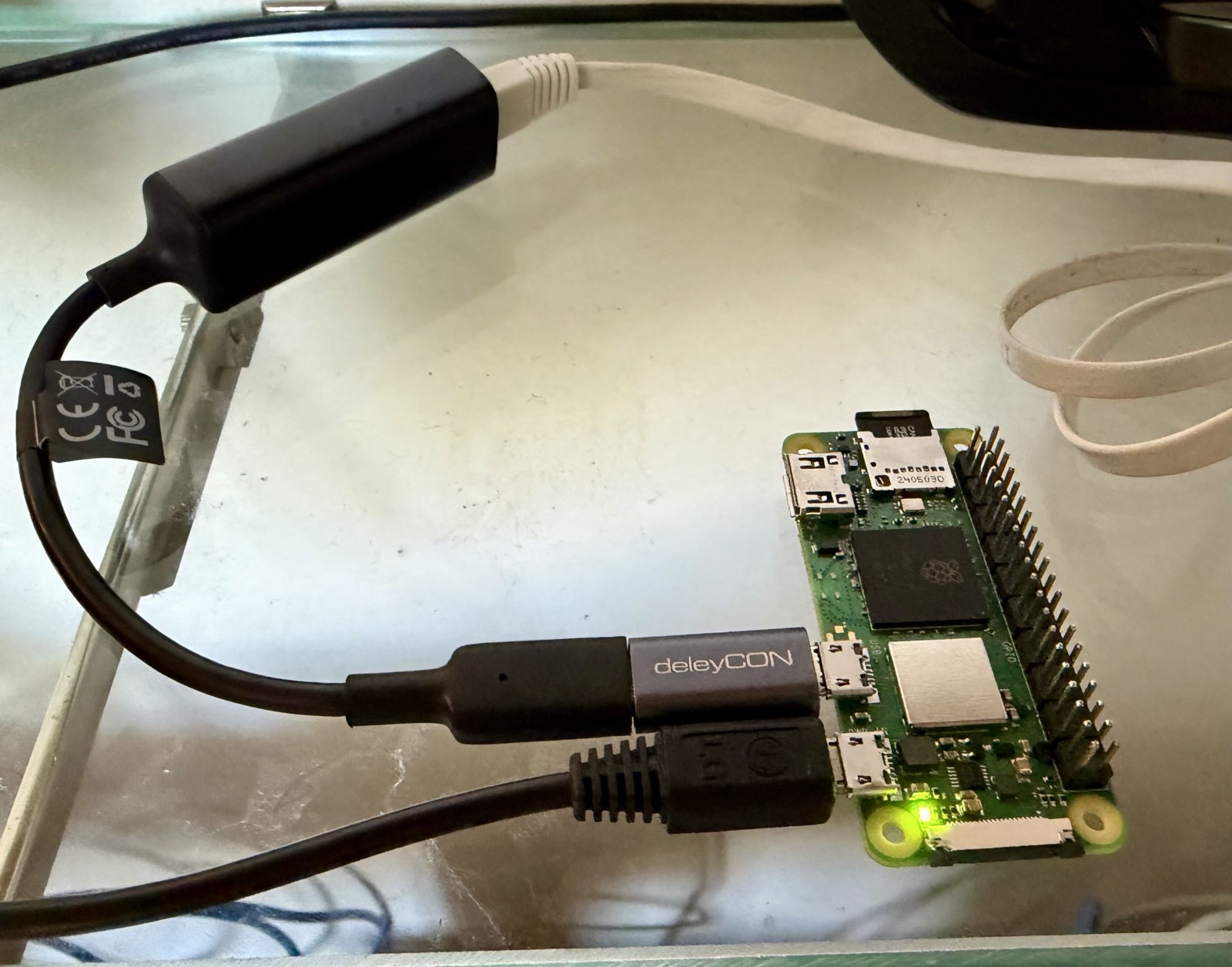
Oh well...
/dev/dk0 917G 587M 871G 1% /mnt/extusb
It's definitely overkill. Maybe I could cache some media, there, too.
Now on an Orange Pi One, powered by NetBSD, on an external USB drive.
Yes, the storage speed makes a difference.
Now on a Raspberry Pi Zero 2 W - powered by NetBSD (armv7) - with an USB ethernet card, as the internal wifi seems to lock when the traffic goes up.
It's blazing fast
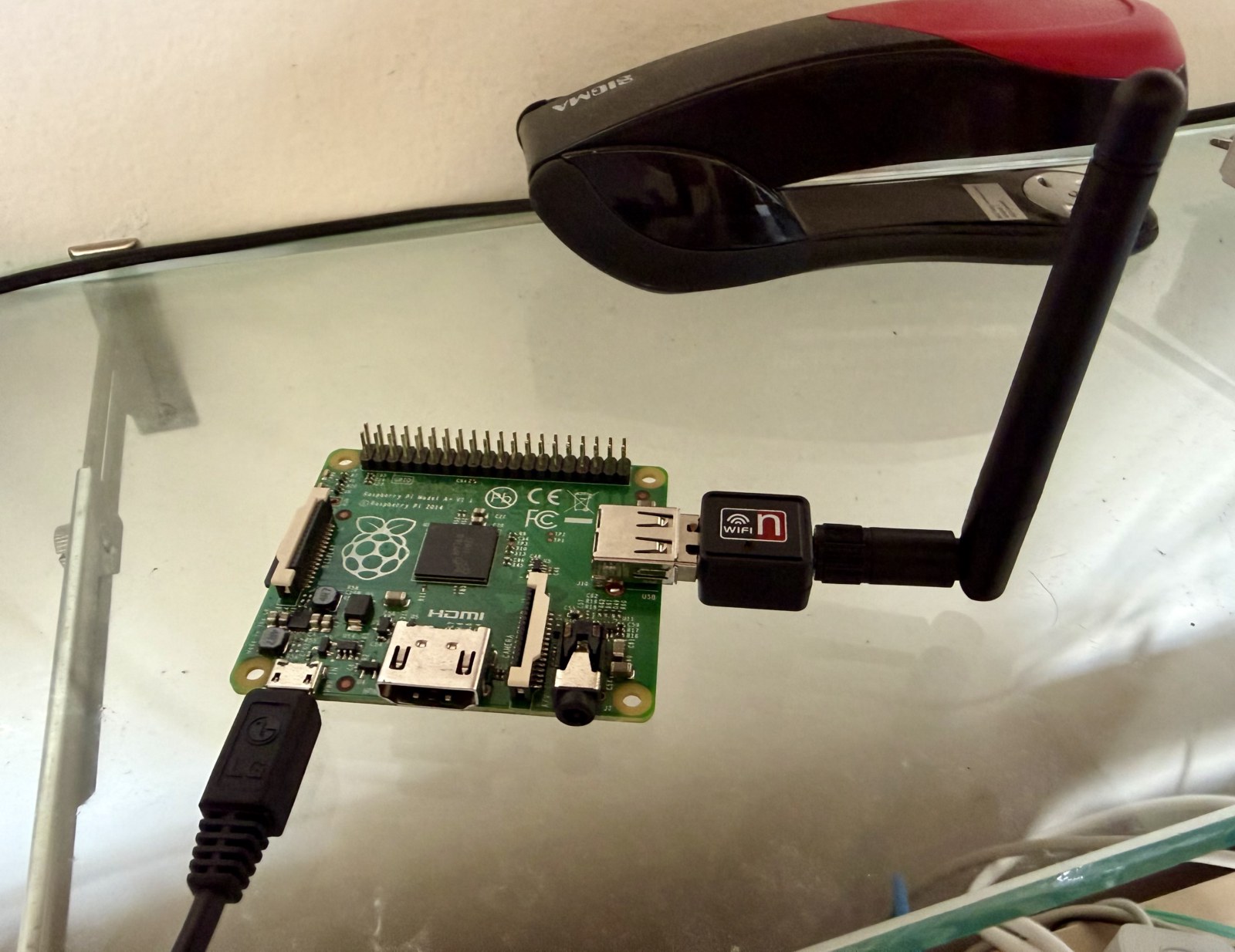
...let's lower the barriers even further!
Now this instance is running on a Raspberry Pi A+ (1 core @ 700 MHz, 256MB RAM), so even less than the Raspberry Pi Zero W it was running on before.
On NetBSD, of course!
Edit: it suffers a bit. I don’t know if it’s for the lower ram or lower speed sd card or the external WiFi adapter, but it’s slower than the Zero W. Still usable, but not optimal. I’ll try with the original B and will see if / how different it is.
#littleFedi #NetBSD #RunBSD #OwnYourData #Decentralization #OwnYourVoice
@napierge@bsd.cafe @adele@social.pollux.casa @mastoblaster@mastoblaster.app thank you for mentioning me. Yes, both with #littleFedi (as a platform) and #MastoBlaster (app), we're trying to make sure the Fediverse is light on resources and accessible. You don't need tons of javascript to say "hello".
littleFedi doesn't need a Raspberry PI to run.
It can run on a Raspberry PI - and this is totally different.
Thank you, friends!
The instance held up perfectly, without flinching! I also took advantage of the surge to identify a few areas for improvement, and they've been pinned down. New patches will be rolled out over the next few days.
The release is getting closer and closer...
...and this is how it's doing, while many of you are boosting, replying, etc:
  PID USERNAME PRI NICE   SIZE   RES STATE       TIME   WCPU    CPU COMMAND
 7745 little    35    0   620M  152M RUN       140:14 57.71% 57.71% littlefedi-armv6
Crazy, isn't it?
This post received a lot of comments and reactions, which is great!
It also proved that my little Raspberry Pi Zero W, powered by NetBSD, could handle the load.
Now - to help me test how much load it can tolerate - please boost and react to this post! 🚀
@stefano
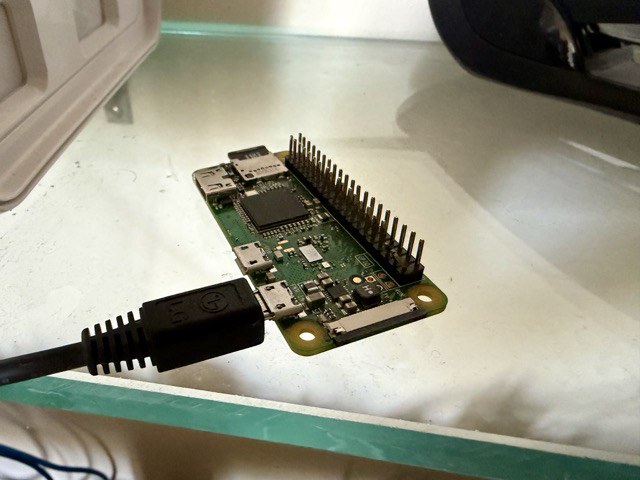
This is the first genuinely operational littleFedi instance.
It has been online since 1st July, is single-user (just me), and runs on a Raspberry Pi Zero W powered by NetBSD, directly on its SD card.
It consumes just under 1W.
Its database is this size:
-rw------- 1 little wheel 109289472 Aug 26 15:14 littlefedi.db
That is, just a little over 100 MB. Yes, MB.
Its average CPU load is extremely low.
It is perfectly usable both from the web interface and from Mastodon API apps.
I have 401 followers and 169 followings, and it doesn't bat an eye.
I promise myself to use it more, and I will.
You don't need Big Tech to communicate with others.
You don't need an expensive data center to exist online.
Because we are people, and the bits are just extensions of our voice.
EDIT: littleFedi allows to transform posts into blog posts, having its own SSG (Static Site Generator). The one generated by this post is reachable by clicking here.
 1
❤ 1
👍🏻 1
1
1
❤ 1
👍🏻 1
1
 1
1
 1
1
 1
1
 1
1
 1
1
 1
1
 1
1
 1
1
 1
1
 1
1
 1
1
 1
1
 1
1
 1
🤔 1
1
🤔 1
 1
1
 1
1

Yesterday’s post received an unexpected amount of appreciation, and the little Raspberry Pi Zero W didn’t even flinch.
This is the first genuinely operational littleFedi instance.
It has been online since 1st July, is single-user (just me), and runs on a Raspberry Pi Zero W powered by NetBSD, directly on its SD card.
It consumes just under 1W.
Its database is this size:
-rw------- 1 little wheel 109289472 Aug 26 15:14 littlefedi.db
That is, just a little over 100 MB. Yes, MB.
Its average CPU load is extremely low.
It is perfectly usable both from the web interface and from Mastodon API apps.
I have 401 followers and 169 followings, and it doesn't bat an eye.
I promise myself to use it more, and I will.
You don't need Big Tech to communicate with others.
You don't need an expensive data center to exist online.
Because we are people, and the bits are just extensions of our voice.
EDIT: littleFedi allows to transform posts into blog posts, having its own SSG (Static Site Generator). The one generated by this post is reachable by clicking here.
 1
1
 1
🔥 2
1
🔥 2
 1
❤️ 1
❤ 5
1
❤️ 1
❤ 5
 1
1
Calling all testers: littleFedi test instance coming soon
I will be launching a test instance of littleFedi soon.
If you would like a test account, reply to this post and I will reach out as soon as it is ready.
The goal is to test the platform with a larger group of users and gather initial feedback.
littleMesh addendum: readable handles and replaceable relays
Yesterday's post left one thing unsolved. Your littleMesh identity is your Ed25519 public key, which is great for security and terrible for a handle: nobody wants to type @alice@a1b2c3...52-characters....mesh.littlefedi.social, let alone read it out loud. And the lighthouse we mentioned, the relay that introduces you to the world, was baked into that identity too. Change relay, and you'd look like a different node.
We've been studying how to fix both, and we think we see a path.
The idea is a small signed directory sitting next to the mesh itself. You'd reserve a friendly alias, something like red-house.mesh.littlefedi.social, and your node would publish a signed record binding that alias to your node ID and to up to three lighthouses. Signed with the same mesh key you already have, no new identity, no new PKI. The record would carry a sequence number and an expiry, so nobody, not even the directory operator, could roll it back to an older version or serve a stale one past its time.
What we like about it is what it wouldn't change. Your handle would stay @alice@red-house.mesh.littlefedi.social, readable. Underneath, WebFinger would still resolve to your real actor ID, the one built from your node ID, exactly as today. And switching lighthouses, would just mean publishing an updated signed record. Same handle. Same actor ID. Nobody following you would notice anything happened.
The directory itself would stay deliberately weak in what it's trusted with. It couldn't produce a valid record for your node ID without your key, and every connection would still authenticate the node ID end to end, so even a malicious or compromised directory could deny service but never impersonate you.
We're building this over the next few days, opt-in, as an experiment. Once it's up, we want to see it survive a real follow exchange with stock Mastodon, snac and GoToSocial, and a lighthouse swap that doesn't touch the handle, before deciding whether it earns a permanent place in littleMesh or gets reworked. Worth trying, not yet worth trusting.